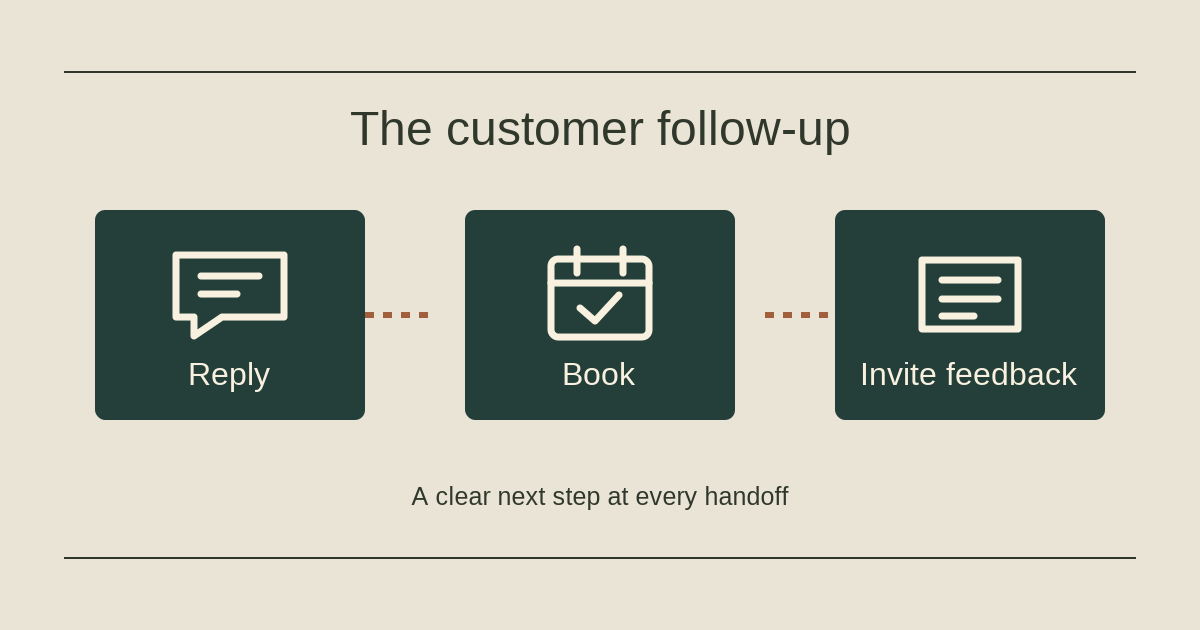
Who should handle replies to missed-call texts?
When a customer replies to a missed-call text, assign the conversation to someone who can answer questions and check availability. In a shared inbox, make it clear who takes over during breaks and after closing. Set a response window your team can meet and measure it during staffed hours.
What should you text back to turn a reply into a booking?
Acknowledge the problem, ask one qualifying question, then offer an available time and confirm it once reserved. Here’s how an HVAC office might handle a homeowner’s reply. Use the same pattern for other appointment-based businesses by changing the qualifying question and the next step.
- Acknowledge the issue and ask one question. “Thanks for getting back to us. Is your AC blowing warm air, or has it stopped turning on?”
- Offer a time you can actually reserve. “We have a technician available tomorrow between 8 and 10 a.m. Would that window work for you?” Explain any visit fee or other terms the customer should know before agreeing.
- Confirm once the appointment is reserved. “You’re booked for tomorrow between 8 and 10 a.m. We’ll let you know when the technician is on the way.”
If the customer needs time, ask whether they’d like you to follow up and agree on when. If the conversation gets complicated, offer a call. Keep the thread open until the customer has a clear next step or the team has recorded why the inquiry ended.
When should you ask a customer for a Google review?
Ask for an honest review after the work is complete and you’ve confirmed the customer is eligible to receive the invitation. Apply the same criteria across customers regardless of whether you expect a positive or negative review. Send a direct Google review link through an appropriate channel and let the customer respond in their own time.
Thanks for choosing [Business]. If you’d like to share how the visit went, here’s our Google review link: [link].
Keep the invitation optional. Avoid incentives, requests for a specific rating and pressure to write the review while staff are present. If someone leaves a critical review, reply professionally and offer a private way to discuss the details. See Google’s review guidance and its policy on rating manipulation.
Check permission before automating review texts
A2P 10DLC registration and recipient permission are separate requirements. Before sending a review request by text, verify that the customer’s permission covers that message, that the message fits your registered use case where required, and that your system respects opt-outs. An inbound reply to an appointment conversation does not establish permission for ongoing messages.
Keep a record of permission, identify your business, and follow your provider’s rules for opt-out instructions. If permission is missing, skip the automated text and consider an appropriate alternative, such as offering a review link on the receipt. See Twilio’s messaging policy for an example of provider requirements.
Measure where the process breaks down
- Reply-to-booking rate: Bookings divided by unique inquiries that replied. Count each inquiry once.
- Completed jobs from those bookings: Track how many appointments became completed jobs and note cancellations or no-shows.
- Review invitation rate: Eligible completed jobs that received an invitation divided by eligible completed jobs. Define eligibility in advance using neutral criteria such as completion status and permission for the chosen channel.
Start with your own baseline and compare similar groups of inquiries after enough time has passed for jobs to finish. If replies are coming in but bookings are slow, check staffing, availability and how clearly the team offers a next step. If completed jobs rarely receive an eligible invitation, check who owns that handoff.
Google says reviews and ratings can contribute to local ranking alongside other factors. Track feedback as a customer outcome and keep search visibility as a separate measure. Google’s published guidance does not set a monthly review quota for keeping a Map Pack position. See Google’s local ranking guidance.
Start with one handoff
For a small team, a shared inbox, a named owner and a job-completion checklist can be enough to start. Once staff can follow the process reliably, decide which steps are suitable for automation and test the permission, booking and opt-out rules before turning them on.
For the steps that come before the reply, see our guides to choosing after-hours coverage and measuring missed-call text-back ROI. To discuss where inquiries stall between the first reply and the appointment, request a Free Growth Review.